Comprehensive tool for planning, scheduling, and tracking complex projects with clear visual timelines and resources
Comprehensive tool for planning, scheduling, and tracking complex projects with clear visual timelines and resources
Vote (84 votes)
Program license Free
Developer CA Technologies
Version 1.1.6
Works under Windows
Vote
(84 votes)
Developer
CA Technologies
Works under
Windows
Program license
Free
Version
1.1.6
Pros
- Comprehensive project management features
- Detailed Gantt charts and resource tracking
- Completely free and open-source
- Stable and reliable performance
- Highly customizable for advanced users
Cons
- Outdated interface may deter some users
- Manual data entry requires time and attention
- Steep learning curve for beginners
- Lacks direct cloud or modern team collaboration integrations
A comprehensive open-source project management solution for complex workflows
Overview
Open Workbench provides a robust platform for managing projects, tasks, and resources for organizations ranging from small teams to large companies. Designed as a free alternative to commercial project management software, it is particularly suited for managing complex, multi-step projects with detailed scheduling requirements.
Interface and Usability
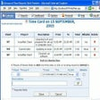
Open Workbench is structured with productivity in mind, dividing its workspace into clear modules for planning, execution, and control. The interface feels reminiscent of legacy enterprise software—practical yet dated in its visual design. While the initial learning curve may be noticeable for new users, frequent project managers will appreciate the logically organized menus and accessible toolbar.
Users begin with manual data entry, inputting comprehensive information for task scheduling, resource allocation, and dependency tracking. While this setup demands attention, it enables precise control over every aspect of a project’s timeline and deliverables.
Project Planning Features
Open Workbench offers a suite of classic project management tools. The Gantt chart is at the core of the software, providing a clear visual overview of the project schedule, dependencies, deadlines, and resource allocation. Tasks can be edited directly within the Gantt chart, allowing for responsive adjustments as a project evolves.
Other included tools such as the Critical Path Method (CPM) Network allow users to visualize task durations and interdependencies, helping to identify bottlenecks and optimize schedules. The Phase Level Gantt extends the traditional Gantt chart functionality to include broader overviews of project phases, progress indicators, and completion milestones.
Resource and Progress Tracking
Strong resource management capabilities set Open Workbench apart from simpler project trackers. Users can assign human, material, and cost-based resources to each task, monitor workload distribution, and identify potential conflicts ahead of time. Detailed progress tracking lets project managers compare planned versus actual performance, assisting with forecasting and ongoing adjustments.
Customization and Integration
Being open-source, Open Workbench allows for extensive customization to fit a company's unique workflow. While it does not offer native cloud features or out-of-the-box integration with modern collaborative tools, it is possible to export data in common formats for use with other platforms. Advanced users may further extend capabilities by adapting the source code or integrating with third-party add-ons.
Performance and Reliability
The software runs efficiently on most Windows systems, even with large project files. Stability is a strong point, with the application handling extensive data without significant slowdowns or crashes. However, some features may feel less intuitive compared to more modern project management solutions, particularly for users accustomed to web-based tools.
Suitability
Open Workbench is ideal for experienced project managers seeking a cost-effective, feature-rich tool to manage detailed schedules and resources. It is especially beneficial where budget limitations prevent investment in commercial solutions. Users looking for a more modern interface or built-in online collaboration may need to explore different options.
Pros
- Comprehensive project management features
- Detailed Gantt charts and resource tracking
- Completely free and open-source
- Stable and reliable performance
- Highly customizable for advanced users
Cons
- Outdated interface may deter some users
- Manual data entry requires time and attention
- Steep learning curve for beginners
- Lacks direct cloud or modern team collaboration integrations